


What Is a Free Online Photobooth and How Does It Work?
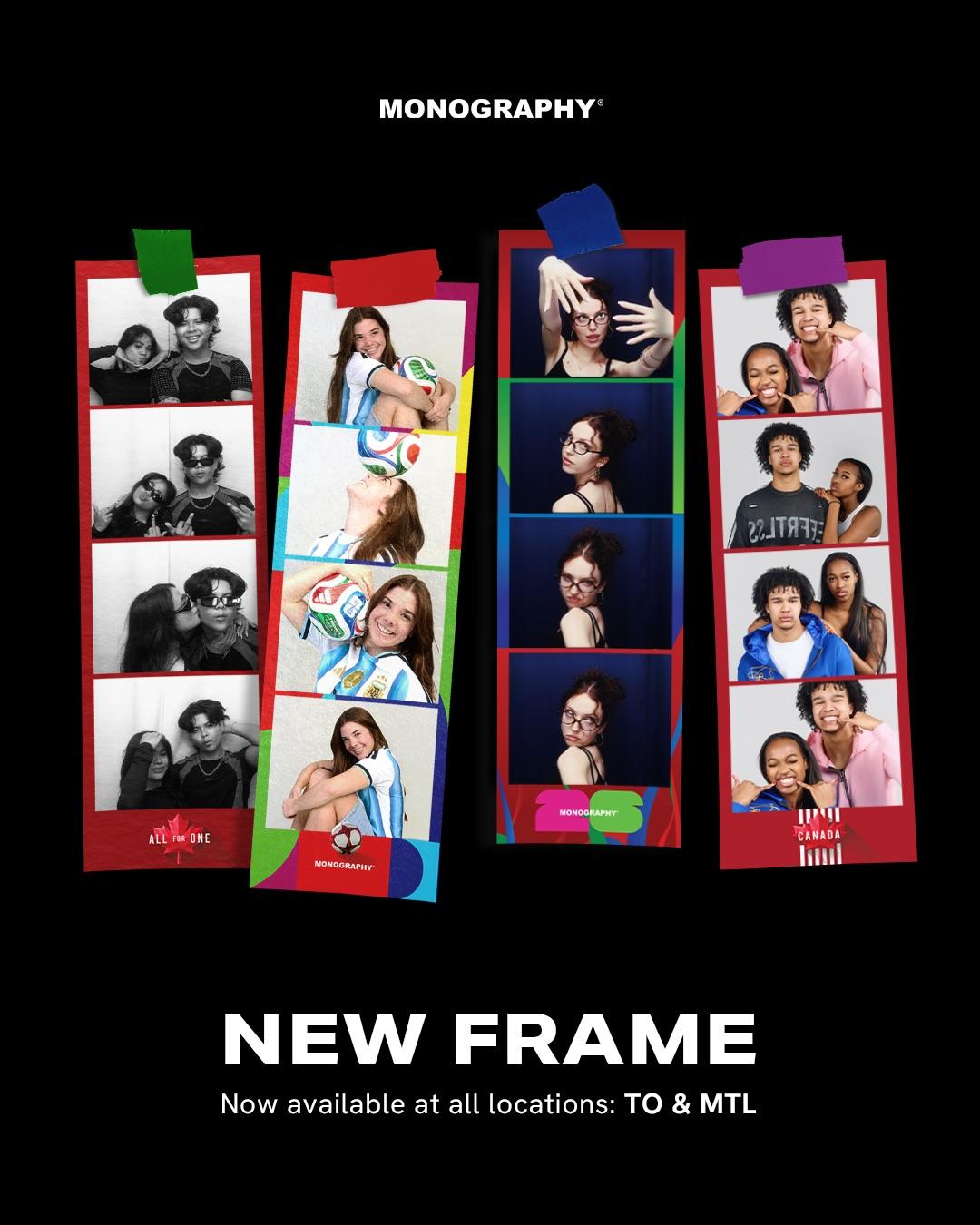
Photo booths have evolved far beyond the bulky machines found at weddings and shopping malls. Today, anyone with a phone, tablet, or laptop can create fun, professional-looking photo strips directly from a web browser—without downloading software or buying expensive equipment.
A free online photobooth allows users to capture photos, customize layouts, apply frames or filters, and instantly download or share their images online. Whether you're hosting a virtual event, birthday party, classroom activity, wedding, or marketing campaign, an online photobooth provides an easy and engaging experience for everyone.
In this guide, you'll learn exactly what a free online photobooth is, how it works, its benefits, best use cases, and what features you should look for before choosing one.
What Is a Free Online Photobooth?
A free online photobooth is a browser-based application that lets users take photos using their device's camera without installing any software.
Unlike traditional photo booths, everything happens online.
Users simply:
- Open the website
- Allow camera access
- Select a frame or layout
- Capture photos
- Download or share them instantly
Most modern online photobooths also support:
- Photo strips
- Custom overlays
- Brand logos
- Event frames
- GIF creation
- Digital props
- Mobile compatibility
Because they're web-based, they work almost anywhere with an internet connection.
How Does an Online Photobooth Work?
The process is surprisingly simple.
Step 1: Open the Website
Users visit an online photobooth using any browser such as Chrome, Safari, Firefox, or Edge.
No app installation is required.
Step 2: Allow Camera Permission
The browser asks permission to use the device's camera.
Once accepted, the live camera feed appears instantly.
Step 3: Choose a Frame or Layout
Users can select from different templates including:
- Wedding frames
- Birthday themes
- Holiday designs
- Business branding
- Graduation templates
- Seasonal overlays
Many platforms even allow custom event branding.
Step 4: Take Photos
The photobooth captures multiple photos automatically using a countdown timer.
Typical options include:
- 1 photo
- 2-photo strip
- 4-photo strip
- Square collage
- Portrait layouts
Step 5: Preview & Download
After taking photos, users can:
- Preview images
- Retake photos
- Download in high quality
- Print later
- Share instantly on social media
The entire process usually takes less than two minutes.
Why Are Online Photobooths Becoming So Popular?
People now attend events from anywhere.
Businesses host virtual conferences.
Families celebrate remotely.
Schools organize online activities.
An online photobooth allows everyone to participate without needing physical equipment.
Some major advantages include:
- No software installation
- Works on phones and computers
- Instant downloads
- Easy sharing
- Budget-friendly
- Perfect for remote teams
- Environmentally friendly
Features of a Good Free Online Photobooth
Not every online photobooth offers the same experience.
Here are the features that matter most.
1. No Registration Required
Users should be able to start taking photos immediately.
2. Mobile Friendly
Most visitors now use smartphones.
A responsive design is essential.
3. High-Quality Downloads
Photos should remain clear for both social media and printing.
4. Custom Frames
Adding personalized frames makes events more memorable.
Examples include:
- Weddings
- Baby showers
- Birthday parties
- Company events
- School functions
5. Privacy Protection
A trustworthy photobooth should clearly explain:
- Whether photos are stored
- How long images remain available
- User privacy policies
6. Browser Compatibility
The platform should work across:
- Chrome
- Safari
- Firefox
- Edge
without requiring plugins.
Best Uses for a Free Online Photobooth
Online photobooths aren't just for parties.
They're now widely used for:
Virtual Events
Remote conferences, webinars, networking sessions.
Weddings
Digital guest books and photo memories.
Birthday Parties
Personalized photo strips for guests.
Schools
Graduation celebrations, classroom activities, student events.
Businesses
Brand promotions, product launches, employee engagement.
Marketing Campaigns
Collect branded user-generated content for social media.
Traditional Photo Booth vs Online Photobooth
| Feature | Traditional Booth | Online Photobooth |
|---|---|---|
| Installation Required | Yes | No |
| Works Anywhere | No | Yes |
| Mobile Support | Limited | Yes |
| Cost | High | Often Free |
| Instant Sharing | Limited | Yes |
| Remote Participation | No | Yes |
Is a Free Online Photobooth Safe?
Yes—provided you choose a reputable platform.
Before using one, check whether it:
- Uses secure HTTPS connections
- Clearly explains its privacy policy
- Doesn't permanently store photos without permission
- Allows users to delete uploaded images if applicable
Always avoid services that request unnecessary personal information for basic photo capture.
Who Should Use an Online Photobooth?
A free online photobooth is ideal for:
- Families
- Friends
- Teachers
- Students
- Event organizers
- HR teams
- Wedding planners
- Marketing agencies
- Small businesses
- Content creators
Because it's browser-based, almost anyone can use it without technical skills.
Tips for Better Photobooth Photos
For the best results:
- Use natural lighting.
- Clean your camera lens.
- Position the camera at eye level.
- Keep the background tidy.
- Smile naturally.
- Test your internet connection before an event.
- Use themed frames to match the occasion.
Why Browser-Based Photobooths Are the Future
As hybrid work, virtual celebrations, and online communities continue to grow, browser-based tools are becoming the preferred choice.
Instead of renting expensive equipment, people now expect:
- Instant access
- Zero downloads
- Mobile compatibility
- Easy sharing
- Personalized experiences
A free online photobooth delivers all of these while remaining accessible to users worldwide.
Conclusion
A free online photobooth is one of the easiest ways to capture fun, memorable moments without installing software or renting traditional photo booth equipment. Whether you're planning a virtual meeting, celebrating a birthday, hosting a wedding, or creating branded event experiences, an online photobooth makes photography simple and accessible from any device.
When choosing a platform, look for fast performance, mobile compatibility, customizable frames, secure privacy practices, and high-quality photo downloads. These features ensure a smooth experience for both individuals and event organizers.
If you're looking for a browser-based solution, Monobooth offers an easy way to create, customize, and share photo booth experiences online—making it a practical choice for personal celebrations, remote teams, schools, and businesses alike.
Frequently Asked Questions (FAQ)
1. What is a free online photobooth?
A free online photobooth is a web-based application that lets you take photos using your device's camera without downloading software. You can customize frames, create photo strips, and download your images instantly.
2. Do I need to install an app?
No. Most online photobooths work directly in your web browser on desktops, tablets, and smartphones.
3. Can I use an online photobooth on my phone?
Yes. Most modern online photobooths are mobile-friendly and work on Android and iPhone devices.
4. Are online photobooths free?
Many platforms offer free features, while some provide premium options such as custom branding, advanced templates, or event management tools.
5. Can I create custom photo booth frames?
Yes. Many online photobooths let you upload custom overlays, logos, colors, and event-specific designs.
6. Are my photos stored online?
This depends on the platform. Some services store photos temporarily for sharing, while others process everything directly in your browser. Always review the privacy policy before using the service.
7. Can multiple people use the same online photobooth?
Yes. Participants can access the same photobooth from different devices, making it ideal for virtual events and remote celebrations.
8. What devices are supported?
Most browser-based photobooths support laptops, desktop computers, tablets, and smartphones with a camera and a modern web browser.
9. Can I print the photos later?
Yes. After downloading your images, you can print them at home or through any photo printing service.
10. Is an online photobooth suitable for business events?
Absolutely. Businesses use online photobooths for virtual conferences, employee engagement, trade shows, product launches, and branded marketing campaigns.
Categories
Read More
Book Nashik to Silvassa cab online at best price. CabBazar provides car rental services for all cab types AC, Non AC, Hatchback, SUV, Sedan, Innova and Tempo Traveller. Both One way drop taxi and round trip cab available at lowest price. Price starts Rs. 9/Km.

The global Bromine Price Index in 2026 is showing a firm-to-bullish movement driven by strong industrial demand, tightening supply conditions, and rising usage in flame retardants, oilfield chemicals, and water treatment applications. As of Q1 2026, bromine prices are estimated in the range of USD 2,650–3,400/MT, depending on region and production costs. The market continues to reflect...

For many years until fairly recently, the mainstream world of art has completely passed by and ignored the immense ingenuity of Female Artists, instead designating their terrific creative achievements as insignificant historical 'footnotes'. If you take a stroll through some of the older, particularly historic galleries of New York City and stand in front of any one of the bold art...
A professional Web Design Agency plays a vital role in creating a strong online presence for businesses of all sizes. Your website is often the first impression customers have of your brand, making it essential to invest in a design that is visually appealing, user-friendly, and optimized for search engines. Dreamsdesign is a trusted Web Design Agency that delivers custom website solutions...
