


Can Wireless Microphones Work with DSLR Cameras and Smartphones Together?
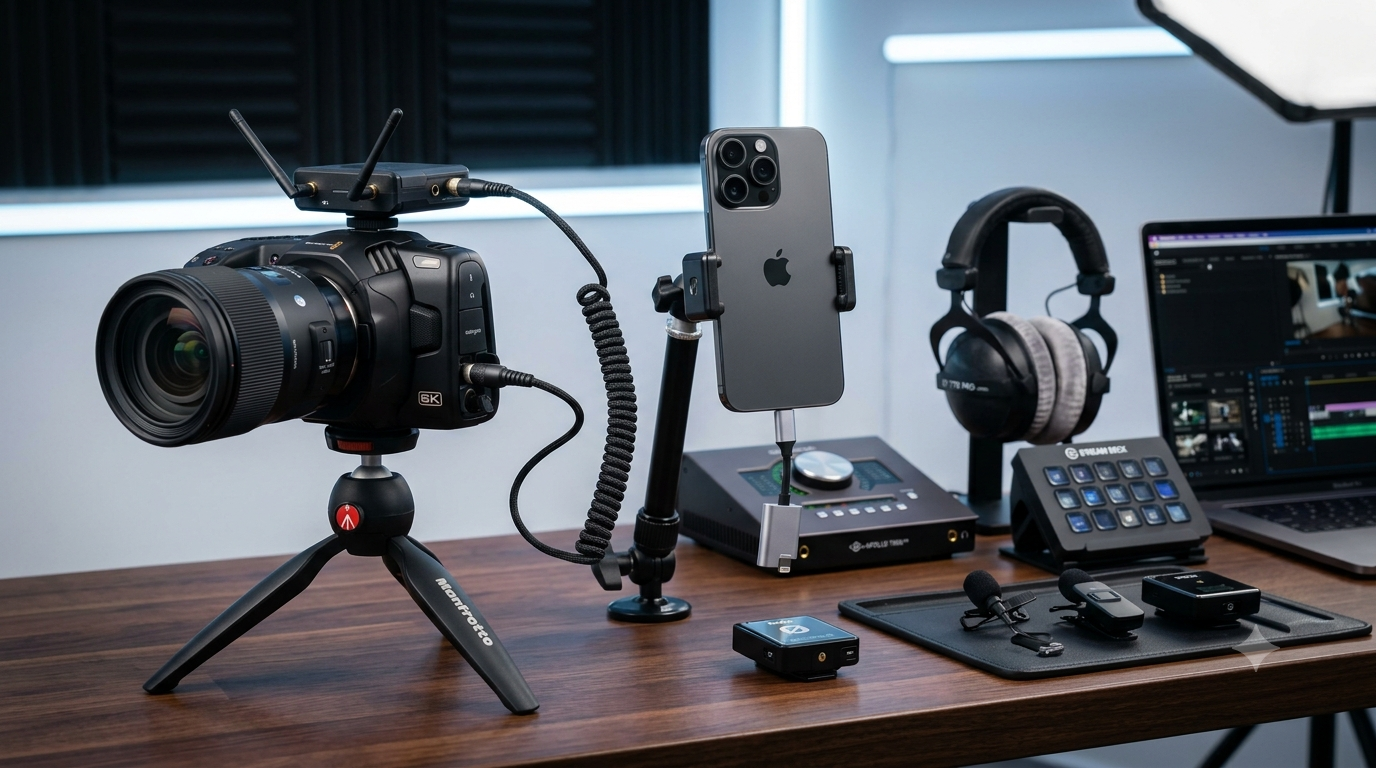
Content creation workflows have changed significantly in recent years. Many creators no longer rely on a single device for recording. A YouTuber might film with a DSLR camera while simultaneously recording behind-the-scenes content on a smartphone. A wedding videographer may capture professional footage on a camera while using a phone for social media clips. Podcasters, vloggers, educators, and livestreamers often switch between multiple devices throughout the day.
This raises a common question:
Can wireless microphones work with DSLR cameras and smartphones together?
The short answer is yes—but the setup depends on the microphone system you choose. Some wireless microphones are designed to connect with both cameras and smartphones, while others require adapters or separate receivers. Understanding compatibility, connectivity options, and recording workflows can help you choose the right solution.
Quick Answer: Can One Wireless Microphone Work with Both Devices?
Yes, many modern wireless microphone systems can work with both DSLR cameras and smartphones.
Popular models from brands such as Hollyland, DJI, and Rode often support:
-
DSLR cameras
-
Mirrorless cameras
-
Android smartphones
-
iPhones
-
Tablets
-
Laptops
However, most systems connect to one receiving device at a time unless they offer specific multi-device functionality.
Before purchasing, it is important to understand how these systems operate.
How Wireless Microphone Systems Work
A wireless microphone setup typically consists of:
-
Transmitter (attached to speaker)
-
Receiver (connected to recording device)
-
Audio cables or mobile adapters
-
Charging accessories
The transmitter captures audio and sends it wirelessly to the receiver.
The receiver can then be connected to:
-
DSLR camera
-
Smartphone
-
Computer
-
Audio recorder
The key factor is whether the microphone system includes the required outputs for both camera and smartphone connections.
Which Wireless Microphones Support Cameras and Smartphones?
Before investing in a microphone system, it's useful to compare popular options.
Table 1: Wireless Microphones Compatible with DSLR Cameras and Smartphones
Many modern systems are designed for creators who work across multiple devices.
|
Wireless Microphone |
DSLR Compatible |
Smartphone Compatible |
Internal Recording |
Best For |
|
Hollyland LARK M2 |
Yes |
Yes |
No |
Vlogging & Social Media |
|
Hollyland LARK MAX |
Yes |
Yes |
Yes |
Professional Content |
|
DJI Mic 2 |
Yes |
Yes |
Yes |
YouTube & Podcasting |
|
Rode Wireless ME |
Yes |
Yes |
No |
Beginner Creators |
|
Rode Wireless PRO |
Yes |
Yes |
Yes |
Professional Productions |
This comparison shows that many current wireless microphone systems are designed specifically for creators who use multiple recording devices.
Why Creators Use Both DSLR Cameras and Smartphones
Different devices serve different purposes.
DSLR Cameras for Professional Video
DSLR and mirrorless cameras typically provide:
-
Better image quality
-
Larger sensors
-
Lens flexibility
-
Greater creative control
Smartphones for Fast Content Creation
Smartphones offer:
-
Instant uploads
-
Social media convenience
-
Portability
-
Quick behind-the-scenes recording
For many creators, combining both devices creates an efficient workflow.
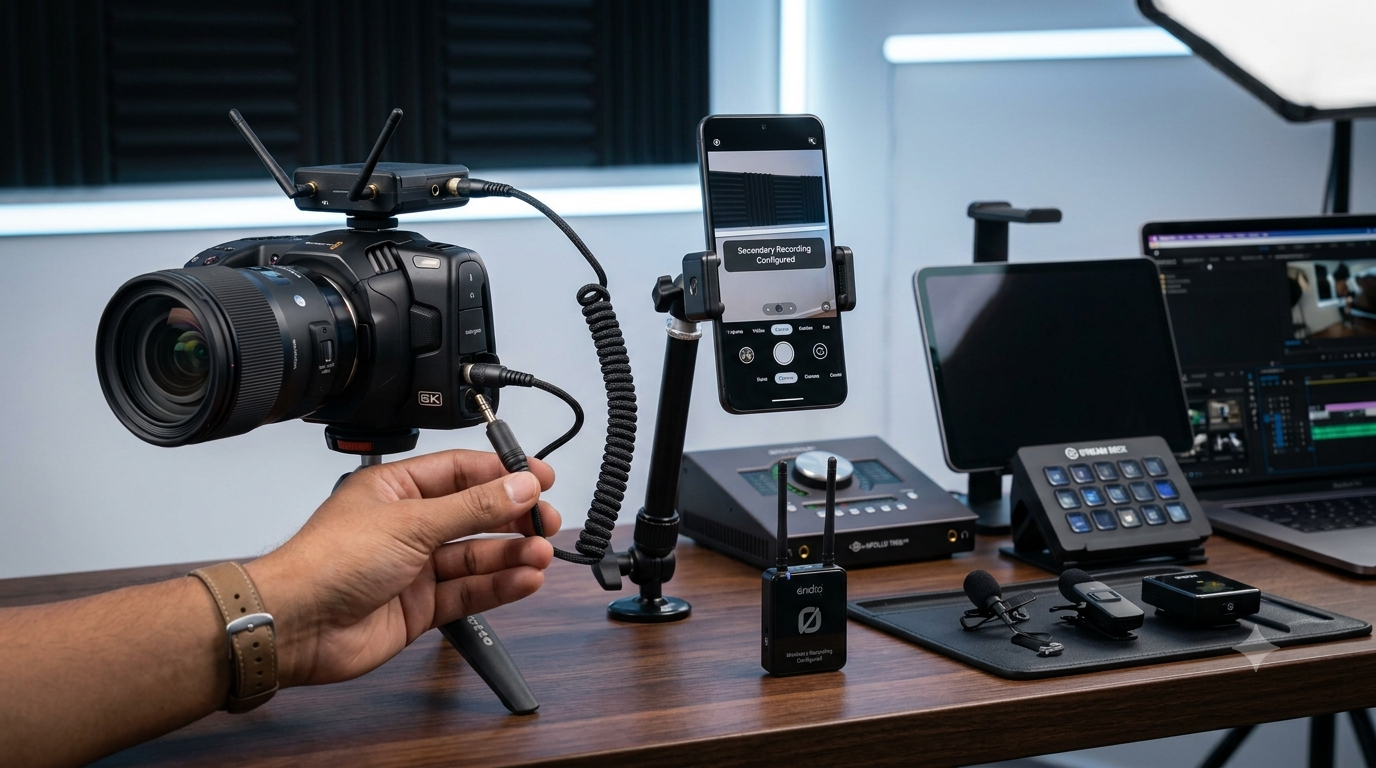
Can a Wireless Microphone Record to Both Devices Simultaneously?
This is one of the most frequently asked questions.
The Simple Answer
Most wireless microphone systems are designed to output audio to a single receiver at a time.
However, some advanced setups can support:
-
Camera recording
-
Internal backup recording
-
Smartphone monitoring
-
Multi-device workflows
The exact capability depends on the microphone model.
Internal Recording Changes Everything
Modern microphones such as the:
-
Hollyland LARK MAX
-
DJI Mic 2
-
Rode Wireless PRO
can store audio directly inside the transmitter.
This means you can:
-
Record video on your DSLR
-
Capture backup audio internally
-
Transfer audio later if needed
This feature provides additional security during important shoots.
How to Connect a Wireless Microphone to a DSLR Camera
Most camera setups follow a simple process.
Step 1: Mount the Receiver
Attach the receiver to the camera hot shoe.
Step 2: Connect Audio Cable
Use the supplied 3.5mm TRS cable.
Step 3: Turn On Devices
Power on:
-
Transmitter
-
Receiver
-
Camera
Step 4: Adjust Audio Settings
Check camera audio levels before recording.
Step 5: Record a Test Clip
Always verify sound quality before starting a project.
How to Connect a Wireless Microphone to a Smartphone
Most current systems support mobile devices directly.
For Android Phones
Connect using:
-
USB-C receiver
-
USB-C adapter
For iPhones
Connect using:
-
Lightning receiver
-
USB-C receiver (newer iPhones)
Test Recording
Record a short sample to confirm proper audio input.
Common Use Cases for Dual-Device Creators
YouTubers
Many YouTubers film:
-
Main video on DSLR
-
Short clips on smartphone
A versatile wireless microphone simplifies this process.
Wedding Videographers
Professionals often use:
-
DSLR or mirrorless cameras
-
Smartphones for social content
Reliable audio across both platforms improves workflow efficiency.
Online Educators
Teachers frequently switch between:
-
Camera recordings
-
Mobile livestreams
Using one compatible microphone system reduces equipment costs.
Podcasters
Podcasters may:
-
Record professionally on camera
-
Capture promotional clips on smartphones
Cross-platform compatibility becomes extremely valuable.
Common Compatibility Mistakes
Assuming All Wireless Microphones Support Smartphones
Some older microphone systems only support cameras.
Always verify smartphone compatibility before purchasing.
Ignoring Included Adapters
Different devices require different connectors.
Check for:
-
USB-C receiver
-
Lightning receiver
-
Camera cable
Overlooking Firmware Updates
Modern wireless microphones often receive updates that improve compatibility and performance.
Buying Based Only on Price
Compatibility and reliability are often more important than saving a small amount upfront.
Important Features to Check Before Buying
Table 2: Essential Features for Multi-Device Wireless Microphone Users
If you plan to use one microphone system across multiple devices, prioritize the following features.
|
Feature |
Why It Matters |
|
Camera Compatibility |
Connects directly to DSLR and mirrorless cameras |
|
Smartphone Compatibility |
Supports Android and iPhone devices |
|
Internal Recording |
Creates backup audio |
|
USB-C Support |
Improves compatibility with modern devices |
|
Lightning Support |
Required for older iPhones |
|
Battery Life |
Supports longer recording sessions |
|
Noise Cancellation |
Improves recordings in noisy environments |
|
Build Quality |
Ensures long-term reliability |
|
Warranty Support |
Protects your investment |
|
Easy Switching |
Saves time when changing devices |
Choosing a microphone with these features provides greater flexibility and future-proof value.
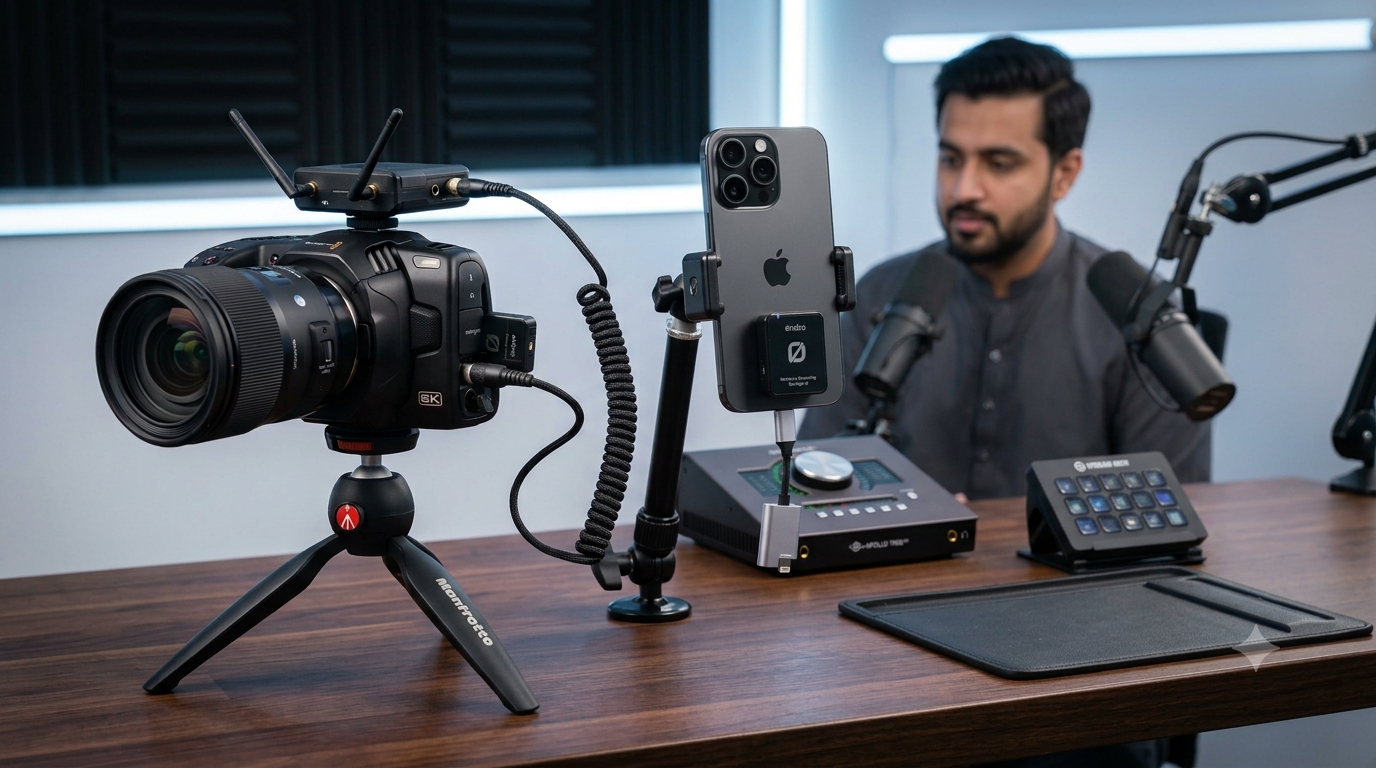
Expert Recommendations
Best for Beginners
Hollyland LARK M2
An excellent option for creators who need smartphone and camera compatibility without a complicated setup.
Best Overall Value
DJI Mic 2
Provides excellent sound quality, portability, and multi-device flexibility.
Best for Professional Production
Hollyland LARK MAX
Offers internal recording, dependable wireless performance, and strong compatibility across creator workflows.
Best for Advanced Content Creators
Rode Wireless PRO
Ideal for professionals who need broadcast-quality audio and advanced recording features.
Frequently Asked Questions
Can I use the same wireless microphone with a DSLR camera and an iPhone?
Yes. Many modern wireless microphone systems include camera cables and smartphone receivers, allowing use with both devices.
Do I need separate microphones for my camera and smartphone?
Not necessarily. Many wireless microphone systems are designed to support multiple devices using different adapters or receivers.
Can a wireless microphone record audio on a DSLR and smartphone at the same time?
Most systems output to one receiver at a time, although internal recording features can provide backup audio while recording on another device.
Which wireless microphone is best for creators who use both cameras and phones?
Popular choices include the Hollyland LARK MAX, DJI Mic 2, Rode Wireless PRO, and Hollyland LARK M2 due to their broad compatibility.
Where can I buy genuine wireless microphones in Pakistan?
Purchasing from trusted retailers is important. Delenzo Mart offers authentic wireless microphones, creator gear, and professional audio equipment suitable for both camera and smartphone users.
Conclusion
Wireless microphones can absolutely work with DSLR cameras and smartphones, and many modern systems are specifically designed for creators who use both. Whether you're a YouTuber, podcaster, educator, wedding videographer, livestreamer, or content creator, choosing a microphone that supports multiple devices can simplify your workflow and improve recording flexibility.
Before purchasing, verify camera compatibility, smartphone support, available adapters, battery life, internal recording capabilities, and warranty coverage. A well-chosen wireless microphone can serve as a long-term solution across all your content creation devices.
For creators looking for genuine wireless microphones, camera accessories, and professional audio solutions, Delenzo Mart remains a trusted online tech store in Pakistan, helping creators find reliable equipment for every stage of their content creation journey.
Categorieën
Read More
Managing tutoring programs at scale can be challenging for schools, districts, and educational organizations. As student enrollments grow, manual processes such as spreadsheets, emails, and phone calls often create scheduling conflicts, communication gaps, and administrative overhead. To solve these challenges, Walstar Technologies partnered with Top Tutors Connect to develop a modern,...

In today's competitive academic environment, students are expected to manage multiple responsibilities while maintaining high academic standards. They often balance lectures, projects, examinations, part-time jobs, and personal commitments simultaneously. As a result, completing assignments on time can become a challenging task. This is where Assignment Help becomes a valuable academic support...

How big is the Egypt Access Control industry? According to “The Report Cube” market research study data, the Egypt Access Control industry size was valued at USD 95.32 Million in 2025 and is projected to reach USD 222.74 Million by 2034, growing at a CAGR of 9.89% during the forecast period 2026-34. Key Numbers: Current Market Size (2025): USD 95.32...

The global Air Compressors market is at the forefront of industrial innovation, with its valuation of USD 24,222 Million in 2023 setting the stage for significant growth to USD 34,291 Million by 2030. This expansion, driven by a CAGR of 5.3%, is not merely a result of increased demand but a testament to the technological evolution and strategic shifts within the industry. The market's...

A healthy complexion starts with a consistent Morning skincare routine for glowing skin. Proper skincare not only improves your skin’s appearance but also protects it from environmental stressors, pollution, and UV damage. At Skinnonest, we believe that achieving naturally radiant skin begins with expert-backed skincare habits and high-quality products. The first step in an effective...
