What Causes Audio Dropouts When Two Creators Record Side by Side Using Wireless Mics?
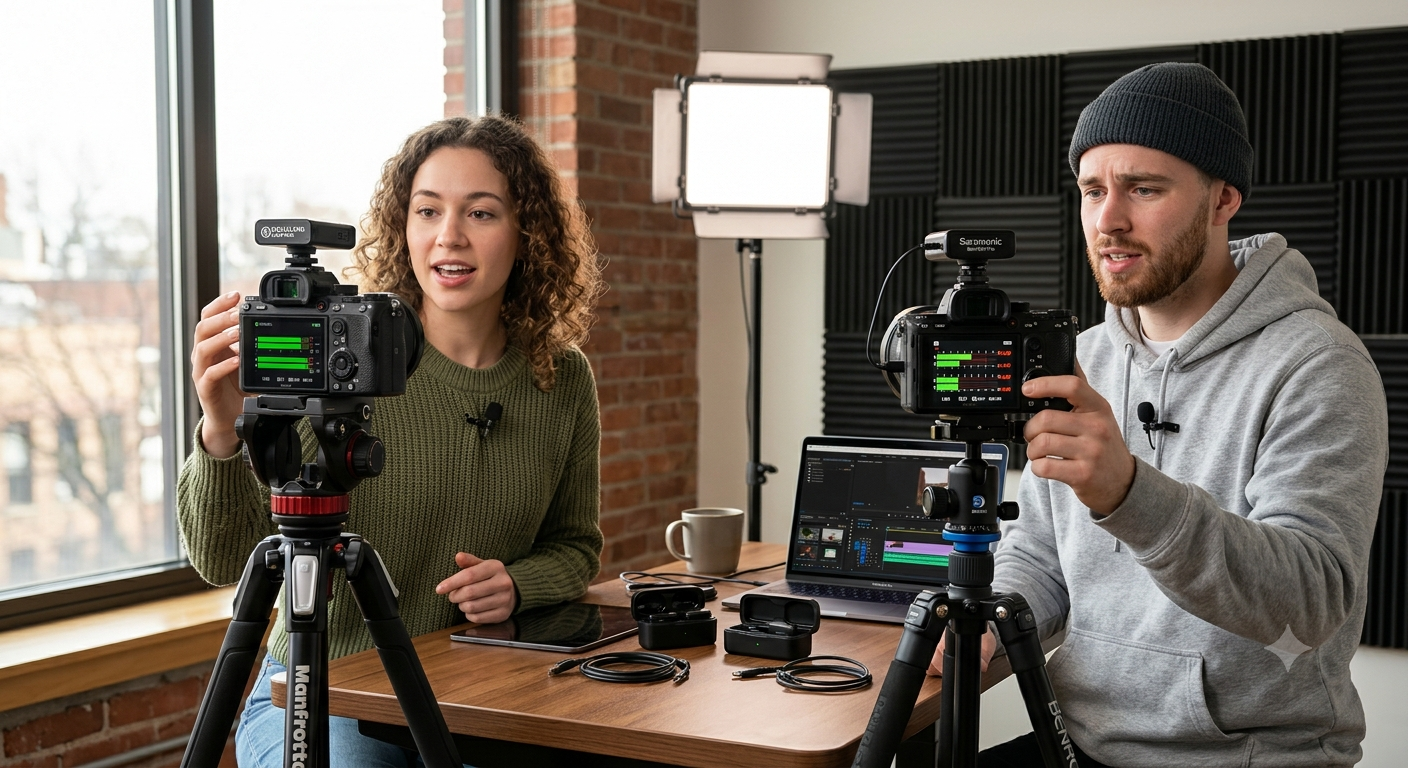
Recording a podcast, interview, product review, or YouTube collaboration with another creator should be straightforward. However, many creators discover a frustrating issue during editing: one or both wireless microphones suffer from random audio dropouts, brief signal losses, or intermittent silence.
It's easy to assume the microphone is defective, but that's rarely the case. In most situations, audio dropouts happen because two wireless systems are competing for signal space, experiencing interference, or being used in less-than-ideal conditions.
Whether you're filming with smartphones, mirrorless cameras, or professional cinema gear, understanding why these interruptions occur can help you prevent them before an important shoot. This guide explains the most common causes, practical solutions, and what to consider when choosing wireless microphones for multi-person recording.
Why Do Audio Dropouts Happen?
Quick Answer
Audio dropouts occur when the wireless connection between a transmitter and receiver is interrupted. This interruption may be caused by radio frequency (RF) interference, signal congestion, physical obstructions, excessive distance, low battery levels, or incompatible wireless systems operating too close together.
Most modern wireless microphones are designed to minimize these issues, but proper setup remains essential.
Why Two Wireless Microphones Can Interfere With Each Other
Wireless microphones communicate using radio frequencies or digital wireless protocols.
When two separate systems operate in the same environment, they may compete for available wireless bandwidth—especially in crowded locations filled with Wi-Fi, Bluetooth devices, and other wireless equipment.
While quality wireless systems are built to coexist, entry-level devices or incorrectly configured setups may experience temporary signal interruptions.
Common Causes of Audio Dropouts
1. Wireless Signal Congestion
Busy recording environments often contain:
-
Wi-Fi routers
-
Bluetooth accessories
-
Wireless speakers
-
Smartphones
-
Smartwatches
-
Live streaming equipment
-
Other wireless microphones
All of these devices contribute to radio traffic that can reduce wireless stability.
2. Two Systems Operating Too Close Together
If two independent wireless microphone systems are placed directly beside each other, the receivers and transmitters may experience increased interference, depending on their wireless technology.
Maintaining reasonable spacing between equipment often improves reliability.
3. Poor Line of Sight
Wireless signals travel more effectively when transmitters and receivers have a clear path.
Large camera rigs, metal objects, walls, vehicles, or even the human body can weaken signal strength.
How Different Recording Environments Affect Wireless Performance
The recording location has a significant impact on wireless reliability.
Before planning a shoot, consider the following environments.
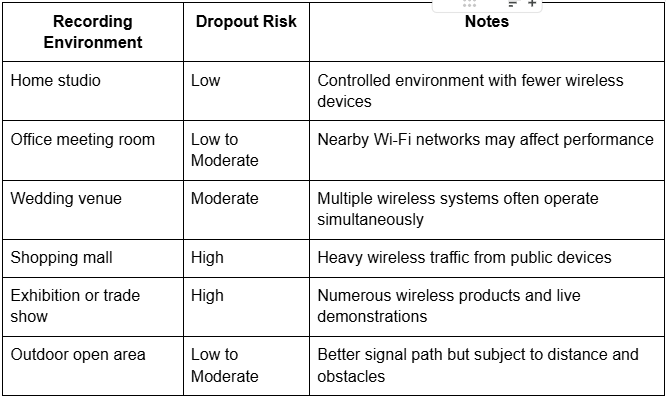
No environment guarantees perfect wireless performance, but understanding potential challenges allows creators to prepare more effectively.
Battery Levels Matter More Than Many Creators Realize
Wireless microphones rely on stable power for consistent transmission.
As battery levels become critically low, some systems may experience reduced transmission stability before shutting down completely.
Professional creators typically:
-
Fully charge transmitters and receivers before every shoot.
-
Carry portable charging cases or power banks.
-
Recharge equipment between recording sessions.
Real-World Example
Imagine two YouTubers recording a collaborative tech review.
Both use separate wireless microphone systems connected to individual cameras. The audio sounds perfect during the first few minutes.
As additional creators begin filming nearby and several smartphones connect to local Wi-Fi, occasional audio dropouts appear in one recording.
The microphones themselves haven't failed. The recording environment has simply become more crowded with wireless activity.
This is why experienced production teams always perform audio checks before and during important shoots.
Common Mistakes That Cause Wireless Audio Problems
Ignoring Audio Monitoring
Many creators rely solely on the camera's recording indicator.
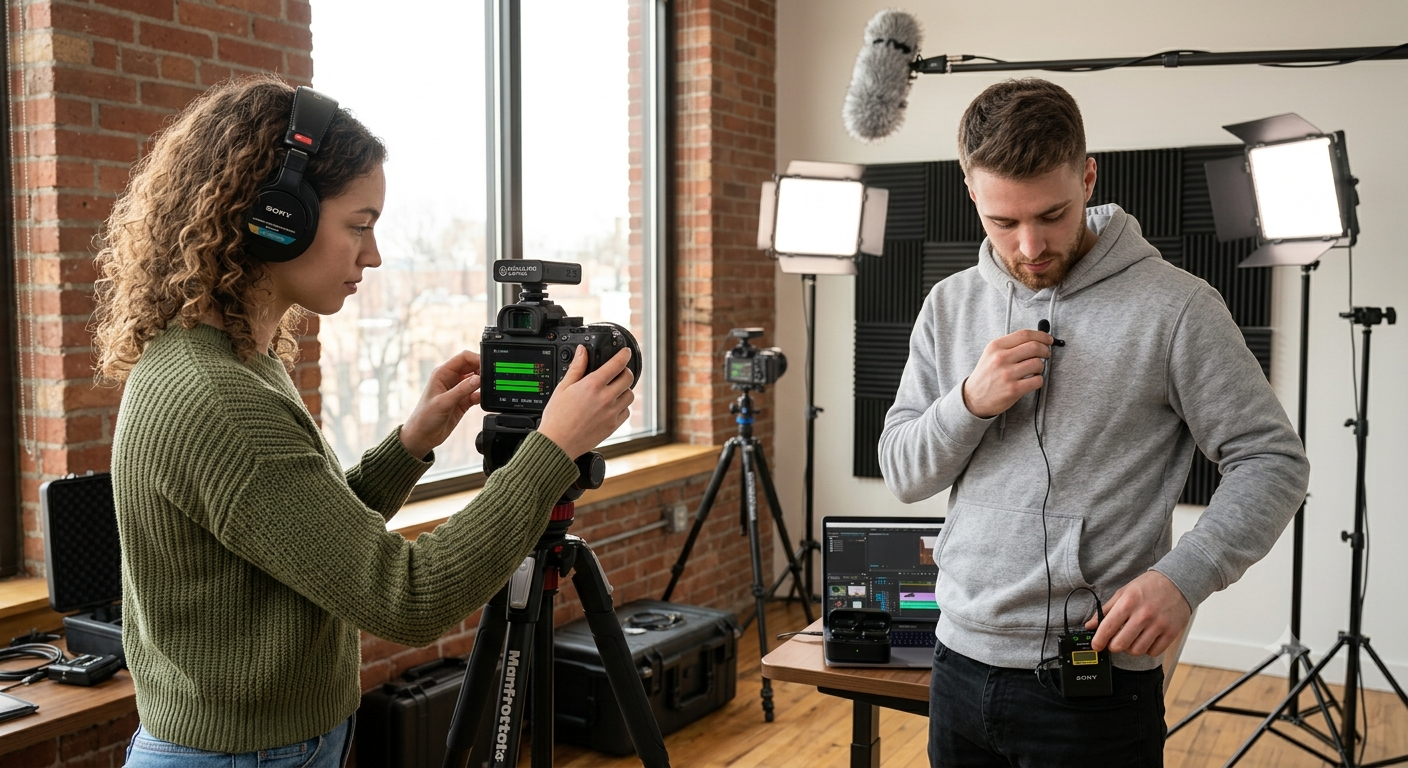
Professional videographers monitor audio through headphones whenever possible to identify problems immediately.
Positioning the Receiver Incorrectly
Receivers hidden behind metal camera cages or blocked by accessories may receive weaker signals.
Using Mixed Wireless Systems Without Testing
Combining different brands or generations of wireless microphones may work perfectly—but compatibility should always be tested before client work.
Standing Too Far Apart
Even when filming together, creators sometimes move farther away from their receivers than expected.
Maintaining practical operating distances improves signal consistency.
Best Practices for Recording Two Creators Simultaneously
Professional production teams follow consistent workflows to minimize audio issues.
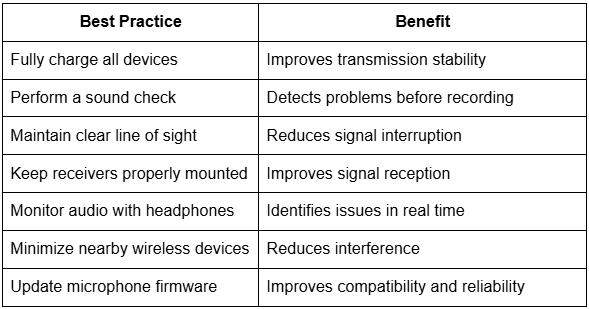
Following these simple habits significantly reduces the likelihood of audio dropouts during collaborative productions.
Can Higher-End Wireless Microphones Reduce Dropouts?
Professional wireless systems generally include technologies that improve reliability, such as:
-
Intelligent frequency management
-
Automatic channel selection
-
Stronger digital signal processing
-
Better interference resistance
-
Lower latency communication
-
Stable multi-device performance
While no wireless system is completely immune to interference, premium models are usually better equipped for demanding production environments.
Buying Guide: Choosing Wireless Microphones for Two-Person Recording
If you frequently record interviews, podcasts, or collaborative videos, consider more than just sound quality.
Look for wireless microphones that offer:
-
Reliable digital wireless transmission
-
Stable performance in crowded environments
-
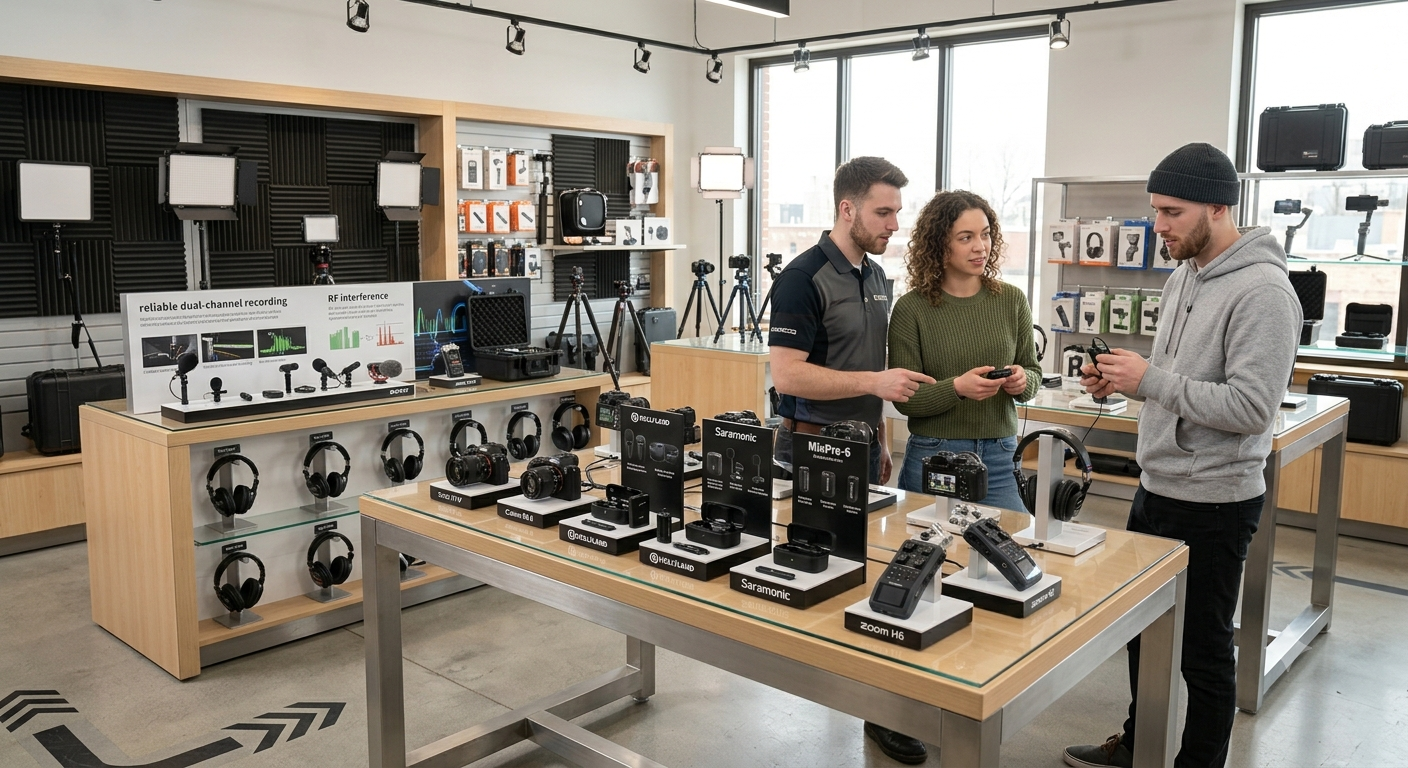
Dual-channel recording capability
-
Long battery life
-
Fast pairing between transmitter and receiver
-
Firmware update support
-
Official warranty coverage
-
Reliable after-sales service
Purchasing genuine products from an authorized distributor also ensures access to technical support and manufacturer-backed warranty services.
As a trusted camera and creator gear store in Pakistan, Hope Enterprises provides original wireless microphones from leading global brands, supported by official warranties, professional customer assistance, and expert guidance for photographers, filmmakers, podcasters, and content creators.
Expert Recommendations
-
Test all wireless microphones before every recording session.
-
Keep transmitters and receivers fully charged.
-
Monitor audio using headphones throughout important shoots.
-
Maintain clear line of sight between devices whenever possible.
-
Avoid unnecessary wireless devices near your recording setup.
-
Update microphone firmware when new versions become available.
-
Carry a backup audio recording solution for commercial projects.
-
Invest in genuine wireless systems designed for professional content creation.
Frequently Asked Questions
Can two wireless microphones interfere with each other?
Yes. Depending on their wireless technology and recording environment, two nearby wireless systems may experience interference if not configured or positioned properly.
Why does one microphone cut out while the other keeps working?
Each wireless system experiences different signal conditions. Battery level, positioning, nearby interference, or receiver placement may affect one microphone more than the other.
Does Wi-Fi cause wireless microphone dropouts?
It can. Since many wireless microphones operate in frequency ranges shared with Wi-Fi and other wireless devices, crowded networks may contribute to signal interruptions.
Are dual-channel wireless microphones better for interviews?
For two-person interviews, dual-channel systems simplify setup by connecting two transmitters to a single receiver while keeping both audio sources organized.
Should I buy wireless microphones with official warranty support?
Yes. Official warranty coverage provides access to genuine products, firmware updates, replacement accessories, and dependable after-sales service if technical issues arise.
Conclusion
Audio dropouts during two-person recording rarely happen because the microphones are defective. More often, they're the result of wireless interference, crowded recording environments, poor positioning, low battery levels, or setup mistakes that can be avoided with proper preparation.
By performing sound checks, monitoring audio, maintaining good transmitter placement, and choosing reliable wireless systems, creators can capture clean, uninterrupted recordings even during collaborative productions.
If you're looking for genuine wireless microphones backed by official warranty support and expert advice, Hope Enterprises is a trusted source for professional camera and creator gear in Pakistan. Choosing the right equipment—and learning how to use it effectively—will help ensure every collaboration sounds as professional as it looks.
Categorias
Leia mais
Quick answer: A UAE holding company lets you own and manage assets across multiple countries under one legal structure. It offers tax efficiency, asset protection, and easy repatriation of profits. The UAE's legal framework, particularly in free zones like DIFC and ADGM, makes it one of the most attractive jurisdictions for holding company formation globally. If you own assets in multiple...

vvvvvvvvvvvvvvvvvvvvvvvvvvvvvvvvvvvvvvvvvvvvvvvvvvvvvvvvvvvvvvvvvvvvvvvvvvvvvvvvvvvvvvvvvvvvvvvvvvvvvvvvvvvvvvvvvvvvvvvvvvvvvvvvvvvvvvvvvvvvvvvvvvvvvvvvvvvvvvvvvvvvvvvvvvvvvvvvvvvvvvvvvvvvvvvvvvvvvvvvvvvvvvvvvvvvvvvvvvvvvvvvvvvvvvvvvvvvvvvvvvvvvvvvvvvvvvvvvvvvvvvvvvvvvvvvvvvvvvvvvvvvvv

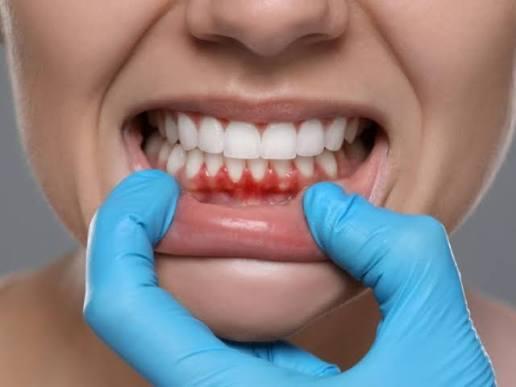
Bleeding gums are one of the earliest warning signs that something is affecting your oral health, and they should never be ignored. Many people experience bleeding while brushing or flossing and assume it is a minor issue that will disappear on its own. Gum Bleeding Treatment in Islamabad is becoming increasingly popular because timely professional care can prevent minor gum problems from...
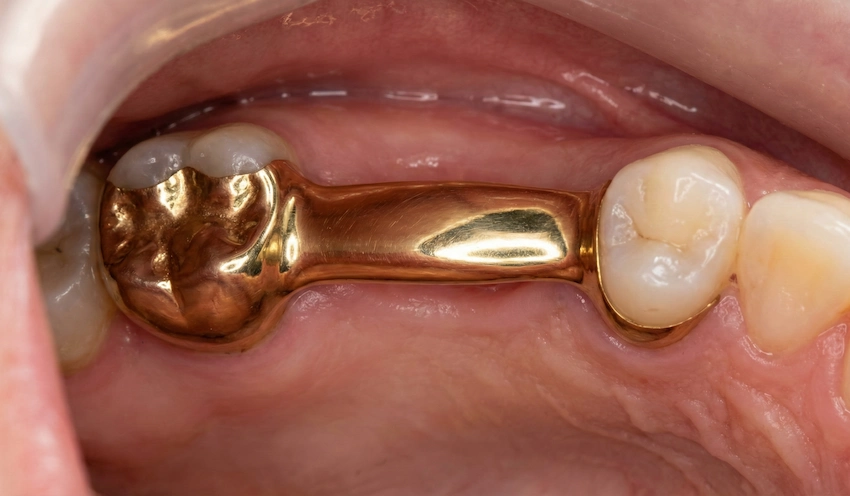
A radiant smile has always been a symbol of confidence, identity, and personal expression, and today more than ever, people are embracing bold aesthetics that reflect individuality and prestige. The rising fascination with metallic brilliance in dental aesthetics has reshaped modern beauty standards, where shine is not just an accent but a statement of personality, and within this evolving...
As of mid-2026, the Canadian real estate landscape for seniors has reached a pivotal moment. With over 56% of older homeowners reporting that the vast majority of their wealth is locked in their primary residence, the demand for "equity release" products has never been higher. However, navigating this market is no longer as simple as visiting a local bank branch. For most Canadians over the age...